Imagemagik.app: The Most Realistic AI Image Generator I’ve Used
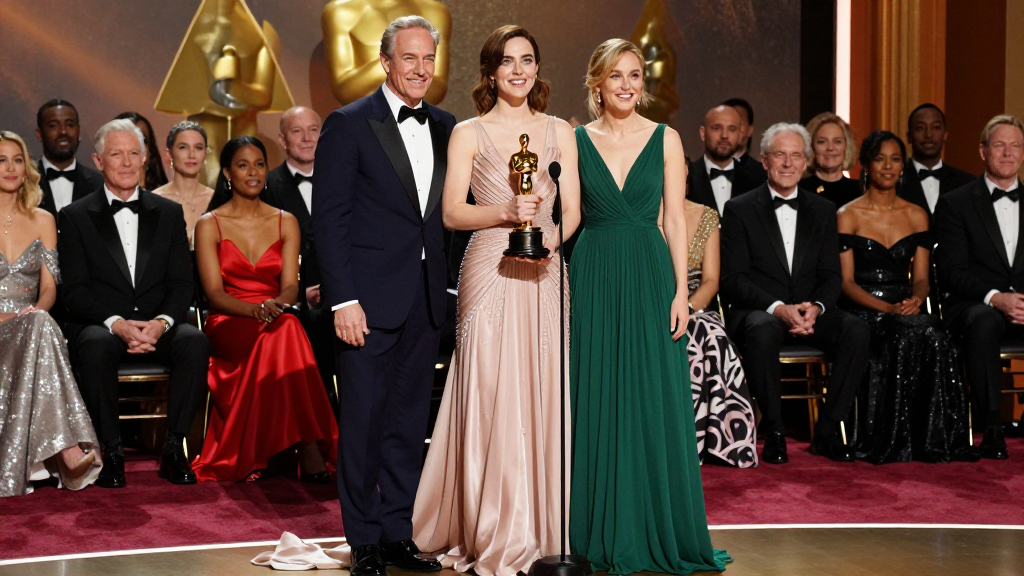
Why I Stopped Scrolling Past AI Images
I’ve used enough AI image tools to know the pattern. At first glance, the results look impressive. Then you look closer—skin feels artificial, lighting doesn’t sit right, and something always gives it away.
Today was different.
I used Imagemagik.app to generate a series of images—animals and humans interacting in ways that should look impossible. A snake sharing pasta with a person, a dog hosting a podcast, a parrot leaning into a microphone. These aren’t simple prompts. They require precision in anatomy, lighting, depth, and expression.
What came out didn’t look like AI experiments. They looked like photographs someone staged deliberately.
That’s the shift.
What Makes These Images Feel Real
Realism in AI images isn’t about sharpness. It’s about how multiple elements behave together.
With Imagemagik, lighting doesn’t just illuminate—it wraps around subjects. Skin has variation, not flat tone. Glass reflects its environment accurately. Shadows fall where they should, not where the model guesses.
When I generated scenes with humans and animals interacting closely, the details held up:
- Eye focus matched the interaction
- Body posture made sense physically
- Textures—fur, skin, fabric—coexisted naturally
- Depth of field separated foreground and background like a real lens
Nothing felt pasted together. That’s usually where AI fails.
Here, it didn’t.
The Workflow Is Simple, But the Output Isn’t
The process itself is direct. No clutter, no friction.
You input your text—clear, descriptive, intentional.
You choose the image ratio depending on where you’ll use it.
You select the visual direction—realistic or cinematic.
Then you generate.
What matters is what happens after.
Instead of settling for one output, you can generate variations repeatedly. Each version explores small shifts—composition, lighting, micro-expressions—without breaking realism. It feels less like retrying and more like directing a photoshoot in real time.
That’s where the control comes in.
Why This Changes How I Think About Visual Content
As someone working in digital content, the problem has never been ideas. It’s execution.
You either:
- Plan a shoot (time, cost, coordination)
- Search for stock (limited, generic)
- Or compromise on quality
Imagemagik removes that tradeoff.
I can take a concept—something abstract or difficult to produce—and see it instantly. Not as a sketch or rough idea, but as a finished visual that looks publishable.
The animal-human scenes I generated today are a good example. Normally, that would require heavy production, editing, or be dismissed entirely as impractical. Here, it’s immediate—and believable.
That opens a different level of creative testing.
Where This Actually Wins in the Market
There are many AI image generators. Most compete on style, speed, or novelty.
Imagemagik competes on realism.
That matters more than it sounds.
Because when an image looks real:
- It performs better on social platforms
- It holds attention longer
- It builds trust instead of breaking it
- It doesn’t trigger that “this is AI” reaction
For marketing, that’s the difference between scroll-past and engagement.
For content creators, it’s the difference between filler and standout visuals.
Built for Search, Discovery, and Use
If someone is searching for:
- AI image generator
- text to image online
- realistic AI images
- photorealistic AI generator
They are not looking for experiments. They are looking for results they can use.
That’s exactly where Imagemagik fits.
It’s not positioned as a playground. It’s a working tool.
Everything about it—from prompt input to output quality—aligns with actual use cases: content creation, marketing visuals, concept design, and rapid testing.
The Reality of AI Images Right Now
There’s a lot of noise in this space. Every tool claims to be advanced. Every demo looks impressive in isolation.
But realism exposes everything.
When you push AI into complex scenes—interaction, emotion, physical contact—that’s where most tools break.
Today, I pushed Imagemagik into that space.
It didn’t break.
Conclusion
Imagemagik.app doesn’t just generate images from text. It produces visuals that hold up under attention—images that feel captured, not constructed.
After using it today, the difference is clear. This isn’t about creating something interesting. It’s about creating something believable.
And right now, that’s what stands out.