Design Stunning Posters with AI: How Text-to-Image Tools Are Changing the Game
Creating posters has always been a mix of creativity, technical skill, and patience. Whether you’re a professional graphic designer, a marketing manager, or a small business owner trying to craft attention-grabbing Valentine’s visuals, the process can be time-consuming. You hunt for stock images, sketch layouts, adjust colors, and still hope the final design captures exactly what you imagined.
Enter text-to-image AI tools like Imagemagik.app. Suddenly, you can turn your ideas into high-quality, photorealistic posters in minutes. No drawing skills, no stock image limitations, and no guessing if your concept will work — just your words, your vision, and the AI’s power.
Why Text-to-Image AI Is a Game-Changer for Poster Creators
1. Speed and Efficiency
The biggest benefit of AI-powered text-to-image tools is speed. What might take hours or days — sourcing images, adjusting lighting, or manually illustrating elements — can now happen almost instantly. Simply type a description of your concept, for example:
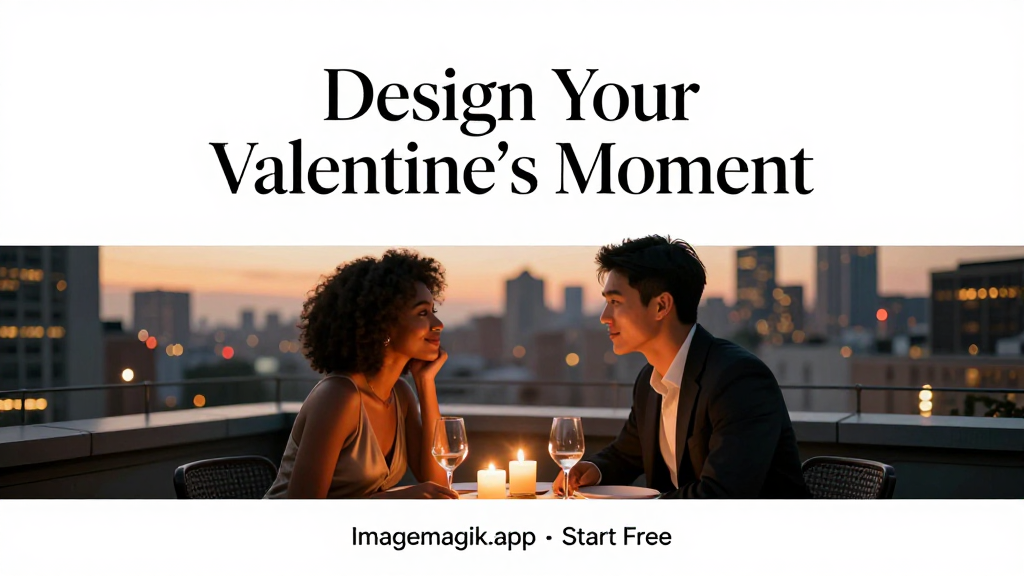
“Romantic couple on a rooftop at sunset, candlelight glow, photorealistic, cinematic style”
…and you get a visual ready for layout, poster production, or social media use. This efficiency lets you explore multiple concepts without wasting time, perfect for tight deadlines or client work.
2. Endless Creative Possibilities
Stock images are limited, and creating something entirely unique from scratch can be costly. AI gives you creative freedom. You can mix styles, create impossible scenarios, or tailor visuals to a specific mood. For Valentine’s posters, you could generate:
- Elegant candlelit dinners
- Cozy indoor settings with warm lighting
- Couples on golden hour beaches
- Cinematic, editorial-style romantic scenes
Your imagination is the only limit — and the AI executes it beautifully.
3. Accessible for Everyone
Not every poster creator is a trained illustrator. Even professional designers benefit from reducing repetitive work. With AI text-to-image:
- Non-designers can create professional-quality posters quickly
- Small businesses can make marketing visuals without hiring a designer
- Agencies can prototype multiple concepts for client approval faster
This levels the playing field and gives everyone the tools to create visually stunning content.
4. Cost-Effective Design
Traditional poster creation often involves expensive stock images, professional photography, or custom illustration. AI tools eliminate these costs:
- Generate custom visuals instantly
- Avoid licensing fees for stock content
- Iterate as much as you want without added expense
For designers managing budgets, this is a huge advantage.
How to Design Posters with Text-to-Image AI
Step 1: Start with a Clear Concept
Before generating an image, think about the poster’s purpose. Who is your audience? What emotion do you want to evoke? For a Valentine’s poster, you might focus on warmth, romance, or elegance.
Example prompt:
“Couple sharing a picnic under cherry blossoms, soft sunlight, realistic expressions, editorial style”
Step 2: Add Detail to Your Prompt
The AI produces better results when you’re specific. Include:
- Lighting: golden hour, soft glow, candlelight
- Environment: rooftop, garden, indoor cozy space
- Characters: diverse couples, authentic poses, realistic skin tones
- Style: cinematic, photorealistic, editorial, minimal
The more detail you give, the closer the output will be to your vision.
Step 3: Refine Typography and Layout
Once your image is generated, integrate poster text seamlessly:
- Use typography that complements the visual
- Maintain negative space for clarity
- Apply visual hierarchy: headline, subhead, CTA
For example, a Valentine’s poster might read:
Design Your Valentine’s Moment
— Imagemagik.app • Start Free
Placed elegantly, your text becomes part of the composition rather than an afterthought.
Step 4: Iterate and Experiment
One of the biggest advantages is iteration. You can generate multiple versions of a scene, test layouts, or tweak prompts for different moods. Each iteration is fast, giving you flexibility that traditional methods simply can’t match.
Benefits You’ll See Immediately
- Faster turnaround: create concepts in minutes
- Unique visuals: no generic stock images
- Professional quality: photorealistic, editorial-level outputs
- Better client feedback: show multiple options quickly
- Cost savings: reduce or eliminate expensive stock or illustration costs
Conclusion
Designing posters with text-to-image AI is no longer a futuristic idea — it’s a practical, transformative tool for anyone creating visual content. From professional graphic designers to small businesses and hobbyists, Imagemagik.app makes it possible to bring your concepts to life with minimal effort, maximum creative control, and professional-quality results.
Your words are all you need to start. Your imagination drives the design. The AI makes it real.
Start Free Today at Imagemagik.app